
6 Best Golf Impact Screens for 2026
A golf impact screen has two jobs that do not always pull in the same direction: produce a clean projected image and absorb a golf ball without behaving like a trampoline. That makes material, mounting and fit more useful buying criteria than a dramatic simulator photograph. You need a screen that suits the enclosure, leaves room for impact deflection and works with the image shape your projector can produce. A larger sheet is not automatically a better choice if its mounting points and usable display area do not match the space.
These six golf impact screens cover compact square setups, wider DIY bays and an option designed around a specific practice-net system. I have concentrated on the selected sizes, construction and supplied mounting accessories, with practical tradeoffs for each. All are screens rather than complete simulators: the support structure, projector and measuring equipment need their own place in the plan. Before ordering, distinguish the overall fabric dimensions from the white image area and check the installation guidance for your intended frame. Getting that right is usually more valuable than chasing an ambitious durability claim.
In this guide
Which Impact Screen Should You Choose?
The aikeec is a straightforward starting point for a ten-foot-class DIY bay. Durbles adds a triple-layer construction and included bungees, while Aerixtron suits a compact square layout. GoSports makes the most sense for an existing compatible ELITE net. Keoltuo provides a larger 142 × 106-inch option, and ZEALFEEL offers a smaller two-layer screen with mounting cords included.
Pick 1 of 6
1. aikeec Golf Impact Screen
Best for a Simple DIY Bay

- 10 × 8.5 ft nominal
- Polyester face
- Reinforced edges
- Perimeter grommets
- Foldable fabric
- 118 × 102 in listed
Pros
- Useful ten-foot-class width
- Reinforced perimeter
- Several attachment options
- Foldable for storage
Cons
- Frame and mounting system cost extra
- Published grommet counts vary
Specifications
| Feature | Specification |
|---|---|
| Selected size | 10 × 8.5 ft nominal |
| Listed dimensions | 118 × 102 in |
| Material | Polyester |
| Construction | 5 mm body; 7 mm reinforced edge, as specified |
| Mounting | Perimeter grommets |
Our Detailed Review
A Practical Starting Point
The aikeec makes sense when you already have a clear plan for the frame and want a screen that covers a useful area without turning the purchase into a complete enclosure project. This is the nominal 10 × 8.5-foot option, with listed dimensions of 118 × 102 inches. That distinction matters when you are drawing the bay to scale. I would work from the inch measurements and leave the installation allowances required by the frame, rather than assume a screen labeled ten feet needs an opening exactly ten feet wide.
Pay Attention to the Perimeter
Its polyester body and reinforced edge give you a conventional fabric screen with attachment points around the perimeter. The selected specifications describe a five-millimeter body and seven-millimeter edge, but thickness alone cannot tell you how a finished installation will feel or sound. The grommets allow a flexible mounting arrangement using suitable cords or other approved fasteners. I would choose the attachment method around the frame and the manufacturer's guidance, with enough movement for impact absorption. Pulling every edge as tight as possible is not a reliable shortcut to a better practice setup.
Where I Would Spend the Savings
The appeal here is a relatively uncomplicated route into projection, especially if you are comfortable planning the support and surrounding protection yourself. It folds for storage, although repeated packing can mean dealing with creases when you set it up again. Compared with Durbles, the buying decision is less about a stated three-layer arrangement and more about whether this material and size meet your needs. I would put the remaining budget into stable mounting, appropriate side protection and a good hitting surface. Those purchases affect the usefulness of the whole bay, not just the image.
Pick 2 of 6
2. Durbles Triple-Layer Golf Impact Screen
Best Triple-Layer Option
- 9.8 × 8.5 ft
- Three-layer polyester
- Reinforced grommets
- Bungee cords included
- White projection face
- 10.13 lb listed weight
Pros
- Dedicated middle cushioning layer
- Mounting bungees supplied
- White projection face
- Useful size for a DIY frame
Cons
- Support structure remains separate
- 10.13 lb screen needs suitable support
Specifications
| Feature | Specification |
|---|---|
| Selected size | 9.8 × 8.5 ft |
| Material | Polyester |
| Construction | Triple layer |
| Listed weight | 10.13 lb |
| Included mounting | Reinforced grommets and bungee cords |
Our Detailed Review
A More Defined Layered Construction
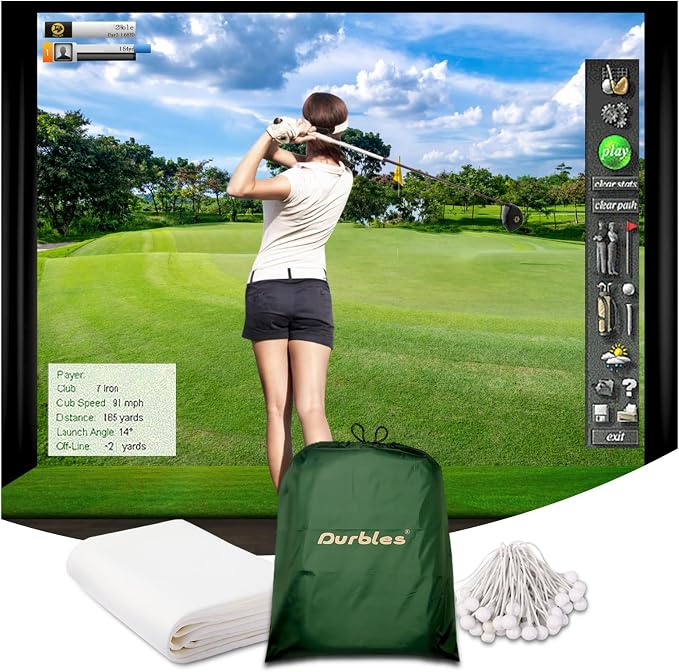
Durbles is the option I would examine first if you want a clearly described layered construction. The white polyester screen combines an outer projection face, a middle layer intended to damp impact sound and an inner impact-resistant layer. Those layers provide a more specific design proposition than a broad claim about heavy-duty fabric. They do not establish a measured noise advantage over every other screen, though. In a shared home, I would still think about the room's surfaces, the mounting arrangement and when you practice rather than expect the screen to make full shots silent.
Mounting Accessories That Matter
The selected 9.8 × 8.5-foot version includes bungee cords and reinforced mounting grommets, which removes one small but useful item from the shopping list. The support structure is still your responsibility, and the listed 10.13-pound weight deserves attention when choosing it. I would check both the hanging load and the movement the installation allows during use. The cords should help you follow the intended tensioning arrangement, not tempt you to suspend the screen from whatever happens to be available. A stable, properly sized frame remains part of the purchase even when it is separate.
Who Should Choose This Screen
This is a sensible middle ground for someone building a dedicated bay who wants a layered screen without buying a complete enclosure package. Its dimensions are close to the aikeec option, so I would compare the mounting requirements and total installed cost instead of treating a small nominal size difference as decisive. The supplied bungees are convenient, and the three-layer description is relevant to the intended use. I would choose it when those details fit the build, while keeping expectations realistic about wear, sound and the need to protect the space around the screen.
Pick 3 of 6
3. Aerixtron 3D Air Mesh Impact Screen
Best for a Square Layout
- 8.2 × 8.2 ft
- 3D air-mesh polyester
- Stainless steel grommets
- Bungees included
- 3.45 mm fabric
- 6.93 mm reinforced edges
Pros
- Square shape suits some compact bays
- Reinforced edges
- 304 stainless steel attachment points
- Supplied mounting cords
Cons
- Widescreen images leave unused area
- Frame and projector sold separately
Specifications
| Feature | Specification |
|---|---|
| Selected size | 8.2 × 8.2 ft |
| Material | 3D air-mesh polyester |
| Fabric thickness | 3.45 mm, as specified |
| Edge thickness | 6.93 mm, as specified |
| Mounting | 304 stainless steel grommets; bungees included |
Our Detailed Review
A Different Shape for a Different Room
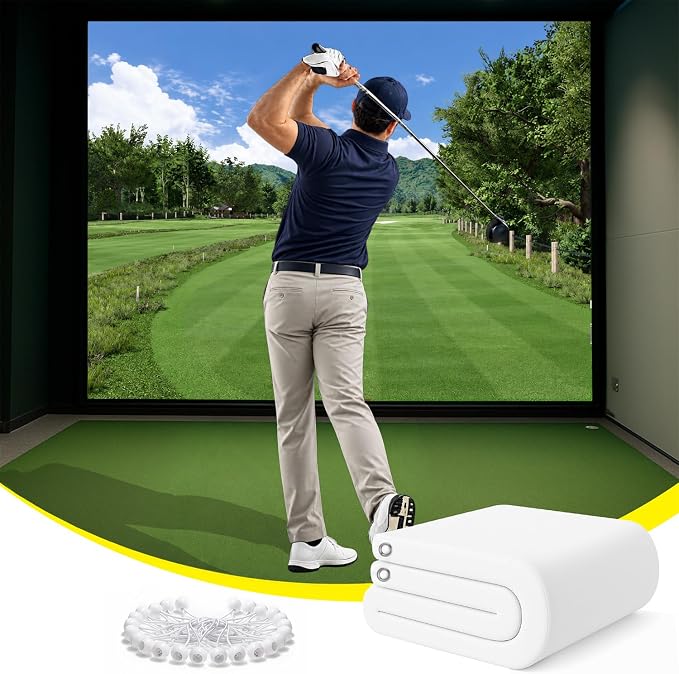
The Aerixtron's square 8.2 × 8.2-foot format is its most useful distinction in this comparison. It offers a more compact width than the larger rectangular choices, which may help when the room or existing frame limits how far you can spread the bay. I would still measure the complete installation rather than the fabric alone. A screen that fits between two walls does not prove the swing area is adequate. The white projection surface is a straightforward foundation, but the room must also accommodate the golfer, mounting hardware and the screen's movement under impact.
Construction Without the Hype
The selected model uses polyester with a three-dimensional air-mesh structure, reinforced edges and 304 stainless steel grommets. Bungee cords are included. The published fabric and edge thicknesses describe the construction, but I would avoid using them to predict an exact sound level or service life. A screen's behavior depends on its installation and use as well as the material. These are useful physical details to compare with the Durbles and Keoltuo options, particularly if you want supplied attachment cords and a reinforced perimeter for a frame you are building or already own.
Plan the Image Before Buying
The main compromise is image shape. A square surface will not be filled edge to edge by an ordinary widescreen picture without changing the image or leaving unused space. I would decide the intended display area and projector position before purchasing, especially if the room will also serve as a movie space. If a square bay is what the room supports, this screen is worth considering. If your priority is a broad projected fairway, Keoltuo's larger rectangular format may be a better starting point, provided the wider installation fits comfortably in the room.
Pick 4 of 6
4. GoSports Golf Simulator Impact Screen
Best for a Compatible GoSports ELITE Net

- 9 × 7 ft style
- 108 × 82.5 in display
- Woven polyester
- Corner mounting
- For 10 × 7 ft ELITE net
Pros
- Designed for the 10 × 7 ft ELITE net
- Clear published display measurements
- High-density polyester
- Simple corner attachment
Cons
- Net is not included
- Do not assume compatibility with every GoSports net
Specifications
| Feature | Specification |
|---|---|
| Selected style | 9 × 7 ft |
| Published display area | 108 × 82.5 in |
| Material | High-density woven polyester |
| Mounting | Corner grommets |
| Intended net | GoSports 10 × 7 ft ELITE, sold separately |
Our Detailed Review
A Useful Upgrade for an Existing Net
GoSports is the most targeted choice here: the selected screen is designed to work with the company's 10 × 7-foot ELITE golf net. If that is the system you already own, a compatible screen can be a more straightforward upgrade than adapting a generic sheet. The selected style is sold as nine by seven feet, while the published display area is 108 × 82.5 inches. I would use those display measurements for image planning and confirm the complete mounting dimensions before building anything around it. Nominal names and usable image sizes are not interchangeable.
Match the Display to the Frame
The screen uses high-density woven polyester and corner grommets. That is a simpler attachment arrangement than screens with mounting points distributed all around the edge, so the intended net or frame matters. The material is described for real-ball use and as a projection backdrop, but the surrounding net remains a separate component. I would follow the screen and net instructions together, making sure the selected versions are compatible. The ELITE name appears across different sizes, and the fact that two products share a brand is not enough to establish that they will fit.
A Focused Purchase, Not a Complete Bay
I like this option most as a deliberate extension of an existing practice station. It lets you move toward a projected simulator while retaining a compatible net you already know how to set up. It is less compelling if you need to buy every part from scratch and a different enclosure shape suits the room better. Compare that complete cost with a generic screen and suitable support. The projector, software and launch monitor still need to be chosen separately, so the screen purchase should follow the overall layout rather than dictate it by accident.
Pick 5 of 6
5. Keoltuo 3D Air Mesh Impact Screen
Best for a Wider DIY Bay

- 142 × 106 in
- 3D air-mesh polyester
- Reinforced steel grommets
- Bungees included
- White projection face
Pros
- Largest selected screen in this guide
- White projection surface
- Supplied ball bungees
- Reinforced attachment points
Cons
- Needs a larger support structure
- Larger fabric area takes more handling
Specifications
| Feature | Specification |
|---|---|
| Selected size | 11.8 × 8.8 ft |
| Listed dimensions | 142 × 106 in |
| Material | 3D air-mesh polyester |
| Color | White |
| Mounting | Stainless steel grommets; ball bungees included |
Our Detailed Review
More Width for a Planned Installation
The Keoltuo is the largest selected screen in this group, at 142 × 106 inches, marketed as 11.8 × 8.8 feet. That extra width can be attractive in a dedicated room where the smaller screens would leave more of the available bay unused. I would begin with the frame and projected image dimensions before deciding that larger is better. The fabric still needs installation clearance, and the golfer needs enough room around the hitting position. A wide sheet will not compensate for an awkward swing area or a projector placed outside its suitable range.
Check the Supporting Structure
Its white polyester face uses a three-dimensional air-mesh construction, with reinforced stainless steel grommets and ball bungee cords supplied for mounting. Those details give a DIY builder a practical starting point, while leaving the support design and surrounding protection to the rest of the project. I would pay attention to access around the frame because a larger screen is less convenient to handle, tension and remove in a cramped space. Plan how you will reach the attachment points and maintain the installation without repeatedly dismantling other equipment in the room or disturbing the projector alignment.
When the Extra Size Is Worth It
The reason to choose this version is that its dimensions serve an intentional room plan. It is not simply a bigger substitute for every smaller screen in the guide. Compared with the square Aerixtron, the rectangular format gives you a different projection canvas; compared with the GoSports option, it is less tied to one named net system. I would consider it for a wider custom frame where the included cords and reinforced perimeter are useful. Buyers who must pack the entire setup away frequently may prefer a smaller screen and a simpler routine.
Pick 6 of 6
6. ZEALFEEL Dual-Layer Impact Screen
Best for a Basic Screen Upgrade

- 112 × 94 in outer size
- Two-layer polyester
- 10 bungee cords
- Reinforced mounting holes
- 112 × 94 in overall
- 0.6 mm stated thickness
Pros
- Mounting cords included
- Reinforced holes and rope loops
- Black border around white face
- Simple screen-only purchase
Cons
- Smaller review pool
- Cannot be machine washed or soaked
Specifications
| Feature | Specification |
|---|---|
| Selected style | 9 × 7 ft nominal |
| Overall dimensions | 112 × 94 in |
| Material | Dual-layer polyester |
| Stated thickness | 0.6 mm |
| Included accessories | 10 bungee cords |
Our Detailed Review
A Modest Route into Projection
The ZEALFEEL is a basic screen-upgrade option with a white face, black border and a two-layer polyester construction. The nominal nine-by-seven-foot name should not replace the actual measurement when planning the frame: the listed overall size is 112 × 94 inches. I would confirm the usable white area separately before matching a projected image to it. That is especially useful for a smaller installation, where a few inches of border or mounting allowance can make the difference between a tidy fit and a screen that needs a different support arrangement.
Useful Mounting Details
The package includes ten bungee cords, and the product describes reinforced mounting holes together with rope loops. Those accessories are useful when you are assembling a suitable frame, but they do not turn the screen into a freestanding enclosure. You still need to account for side protection and the clearances required during impact. The stated 0.6-millimeter thickness is quite different from the figures on some other listings, and I would not rank durability from that number alone. Layer design, edge reinforcement, installation and use all contribute to how a screen behaves over time.
Keep the Care Requirements in Mind
I would consider this screen for a straightforward first projection setup where the supplied cords and manageable format fit the plan. Its review pool is smaller than the aikeec or GoSports options, so I would give more weight to the construction and exact fit than to a small difference in star rating. The care instructions also matter: avoid sharp objects, machine washing and soaking. Keep the hitting area and balls clean, and follow the product's cleaning guidance. That routine is easier to maintain than trying to restore a neglected white projection surface later.
How to Choose a Golf Impact Screen
Start with the frame, room and intended image, then compare materials. These checks help turn a screen purchase into a usable practice area.
Overall Size and Usable Image Area
Record the screen's outside dimensions, white display area and required mounting space separately. A nominal size in the product name may describe only one of those. Match the image area to the aspect ratio you intend to use, then confirm that the projector can produce that image from a suitable position. Allow for the support structure and the installation clearances instead of ordering the largest fabric sheet that can physically fit between the walls.
Material and Layer Construction
Polyester is common across these screens, but weave, layers and edge reinforcement differ. Look for a clear description of the actual construction and how the screen is intended to be used. Treat exact claims about noise reduction or lifetime cautiously unless the test conditions are explained. Thickness alone is not a complete comparison between different fabrics. The most useful choice balances the image you need with suitable impact handling and a construction you can maintain.
Mounting and Impact Deflection
The support and screen should work together. Use the attachment method and clearance specified for your model, keeping firm surfaces out of the screen's impact-deflection area. A smooth projected image should not require making the fabric rigid. If rebound becomes excessive, stop and review the installation guidance before continuing. Surrounding frame protection and side coverage also matter because shots do not always hit the center of the intended target.
What the Package Actually Includes
Check whether the purchase contains only fabric, fabric with bungees, or a complete enclosure. Those are substantially different shopping lists. A screen normally does not measure a shot or create a projected image by itself; the launch monitor, software, computing and projector remain separate decisions. Price missing frame parts, protection and mounting accessories before comparing value. Included cords are convenient only when they suit the support system you intend to use.
Storage, Cleaning and Replacement
Consider how often you will remove the screen and where it will be stored. Folding may introduce creases, while a permanent installation needs access for inspection and eventual replacement. Keep balls and clubs clean to reduce marks and follow the selected screen's care instructions. Do not assume that washing, steaming or ironing methods suitable for one material are appropriate for another. A replaceable screen that fits a serviceable frame can be more practical than an installation that is difficult to take apart.
Golf Impact Screen Comparison
| Product | Best For | Selected Size | Construction | Attachment | Included Cords |
|---|---|---|---|---|---|
| aikeec Golf Impact Screen | Best for a Simple DIY Bay | 10 × 8.5 ft nominal | Polyester; reinforced edge | Perimeter grommets | Confirm package |
| Durbles Triple-Layer Golf Impact Screen | Best Triple-Layer Option | 9.8 × 8.5 ft | Triple-layer polyester | Reinforced grommets | Yes |
| Aerixtron 3D Air Mesh Impact Screen | Best for a Square Layout | 8.2 × 8.2 ft | 3D air-mesh polyester | Stainless steel grommets | Yes |
| GoSports Golf Simulator Impact Screen | Best for a Compatible GoSports ELITE Net | 9 × 7 ft style | High-density woven polyester | Corner grommets | Not specified |
| Keoltuo 3D Air Mesh Impact Screen | Best for a Wider DIY Bay | 142 × 106 in | 3D air-mesh polyester | Stainless steel grommets | Yes |
| ZEALFEEL Dual-Layer Impact Screen | Best for a Basic Screen Upgrade | 112 × 94 in overall | Dual-layer polyester | Reinforced holes / loops | 10 |
How We Evaluated the Impact Screens
The comparison centered on the physical details that determine whether a screen fits a home practice setup: selected dimensions, material, layer structure, edge construction and mounting accessories. Product families often include several sizes, so the recommendations distinguish the chosen version from the broader range. Overall measurements and display area were treated separately where the available specifications made that distinction. The goal was to identify useful applications for each option rather than suggest that one size suits every room.
Review ratings were considered alongside the size of the review pool, with less weight placed on a high average supported by relatively few reviews. Strong marketing claims about silent impacts, universal compatibility or a fixed number of shots were not treated as established comparative performance. Construction details and practical fit provide a firmer basis for choosing between these products. The mounting arrangement and the other components required to make the screen usable also formed part of the value assessment.
A screen's behavior depends on how it is installed and maintained. The recommendations therefore avoid guarantees about rebound, noise or lifespan in an unspecified room. Manufacturer setup and care guidance should govern the finished installation, particularly the space behind the screen and the tension at its attachment points. When dimensions or accessory descriptions are unclear, resolve them for the selected version before building the frame. A correct fit is more useful than relying on a broad product-family description.
Frequently Asked Questions
Can you use an ordinary projector screen for golf?
Only use a screen explicitly intended to receive golf-ball impacts. An ordinary movie screen may display an image but is not automatically suitable for stopping a real golf ball. The supporting frame and surrounding protection also need to suit the intended use.
How tight should a golf impact screen be?
Follow the screen and enclosure instructions. The fabric should present a usable image while retaining the movement required to absorb impact. Excessively rigid tension can contribute to rebound. If the ball returns unexpectedly hard, stop and review the installation before continuing.
Does a golf impact screen include a simulator?
Usually not. A screen provides the impact surface and projection backdrop. Shot measurement, course software, a compatible computing device and a projector are separate unless the package explicitly includes them. A screen-only product cannot generate shot data on its own.
Can you wash a golf impact screen?
Care requirements vary by material. Some manufacturers prohibit machine washing or soaking, so check the selected screen's instructions before using water, detergent or heat. Clean balls and clubs help reduce marks in the first place. Avoid improvised cleaning methods that could damage the fabric or its layers.
Final Thoughts
Choose the impact screen that fits the complete bay you intend to build. Square, wider and net-specific options each have a useful place, but only when the image area, support and room clearances agree. I would settle those details before comparing small differences in marketing claims or star ratings. The best purchase is one that works with the rest of the equipment and remains straightforward to inspect, clean and eventually replace.
For a new DIY setup, compare the screen and all missing components as one project. For an existing compatible net, a purpose-made screen may be the simpler upgrade. Keep room in the budget for the support, protection and hitting surface that make regular practice practical. A clear picture matters, but a well-planned installation is what makes that picture useful every time you step onto the mat.
Screen and Setup References
GoSports screen specifications · Impact-screen bounce-back guidance · Screen care guidance