How Does a Golf Simulator Work? [Technology Explained]
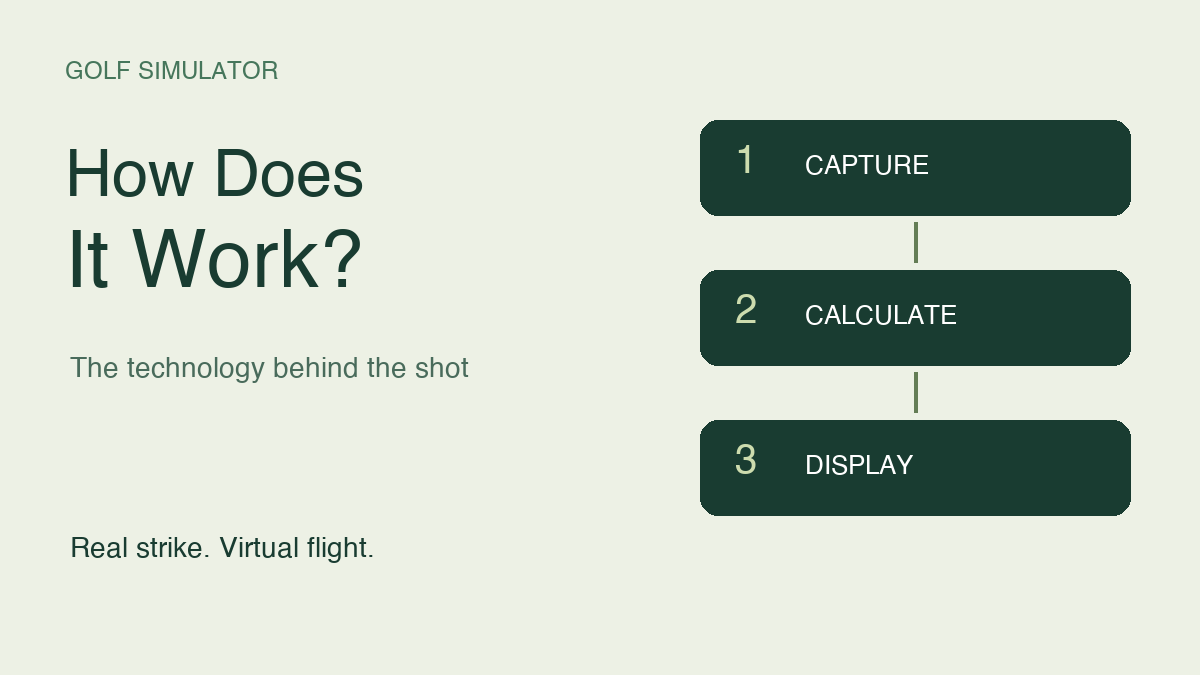
A golf simulator works by capturing information about a real shot and using it to calculate a virtual ball flight. The launch monitor measures aspects of the ball or club, the simulator software models what happens next, and a projector or other display shows the result. Indoors, the real ball stops at the net or screen while the simulated shot continues down the course.
The important distinction is between measurement and simulation. A number on the screen might come directly from a sensor, be derived from other measurements, or represent a predicted result. Understanding which is which helps you interpret the distances and diagnose an odd shot without assuming that every unexpected number means the equipment is broken.
Here is what happens between impact and the picture on the screen, how cameras and radar contribute, and why setup and software settings matter. This guide focuses on the technology behind the experience rather than the room-building process or a list of equipment to buy.
1. The Shot Starts a Measurement Process
When the club strikes the ball, the measuring system records information from a limited region or part of the flight. The available data depends on the device. Ball speed, launch direction, launch angle, and spin information help describe the ball's starting conditions. Club measurements, when supported, add information about how the strike was delivered.
The system does not need to watch the ball travel the entire simulated distance across your room. It needs a usable set of inputs from which to calculate a flight. I find that distinction helpful when explaining a simulator to a first-time player: the ball is real, the starting information comes from the shot, and the distant fairway is a computed environment.
From Real Strike to Virtual Flight
2. Cameras and Radar Capture Different Evidence
Camera-based, or photometric, devices use rapid images around the hitting area to analyze the ball and, where supported, the club. For example, Foresight describes the GC3 as a three-camera system with ball and club data capabilities. A camera-based launch monitor is therefore more than an ordinary video of your swing: the captured images are used to derive shot information.
Radar systems use reflected radio signals to track motion. Some designs combine radar with optical sensors. Trackman's iO, for example, incorporates radar, a high-speed camera, and an alignment camera. These hybrid designs are a good reason not to reduce the buying decision to a simple camera-versus-radar slogan. Read the exact device's indoor operating requirements and data capabilities rather than assuming every model in a technology category behaves the same way.
| Approach | What it uses | What to check |
|---|---|---|
| Photometric | High-speed images near the strike | Capture area, lighting and marking requirements |
| Radar-based | Radar observations of moving ball or club | Required placement and available flight distance |
| Hybrid | A combination of radar and optical sensing | Model-specific installation and measured data |
3. Not Every Displayed Number Is Directly Measured
A simulator can display many more values than its sensors measure independently. Some values are calculated from recorded inputs. Garmin, for example, identifies ball speed, clubhead speed, launch angle, and launch direction as radar measurements for the Approach R10, while its carry distance is calculated. That is a specific example, not a rule for every launch monitor.
Calculated data is not automatically useless. It is essential to indoor simulation because the ball never completes its full flight in the room. What matters is knowing the basis of the number and the limitations of the system. Before using a detailed club metric to make a swing change, check whether your exact device measures it, derives it, or makes it available only with an additional feature package.
4. Software Turns Launch Conditions Into a Flight
The flight calculation uses the available launch information to model a trajectory. Speed describes how quickly the ball begins moving; launch angles describe its initial direction; spin affects the flight's shape. The software then places that flight into a virtual range or course. The ball's behavior after landing belongs to the simulation too, rather than something physically observed on your floor.
This is why a beautiful course image and useful shot data are separate achievements. Software provides the environment and the rules for play, while the launch monitor supplies the shot inputs. GSPro, for example, describes its graphics and ball physics as software features and publishes a list of supported launch monitors. A compatible connection is necessary before those components can work together. A device simply having wireless connectivity does not establish that compatibility.
5. Carry and Total Distance Answer Different Questions
Carry describes the airborne distance to the first landing. Total distance includes the subsequent bounce and roll. In an indoor simulator, the virtual landing and roll are modeled, so total distance is affected by the simulated ground as well as the shot's launch conditions. A firm fairway and a soft green should not be treated as interchangeable finishing surfaces.
For a practical example, imagine a shot that carries 150 yards and finishes at 158 yards in the simulation. The extra eight yards are the modeled result after landing, not additional flight. When comparing two sessions, make sure you are comparing carry with carry or total with total. Otherwise, you can mistake a change in the displayed metric or playing conditions for a change in your swing.
Carry Versus Total Distance
6. The Screen Shows the Result; It Usually Does Not Measure It
In a typical launch-monitor setup, the impact screen stops the ball and receives the projected image. The projector behaves like a display connected to the computing device. Its resolution, brightness, and response characteristics influence how clearly and promptly you see the course, but they do not determine how the launch monitor measured the strike.
That separation is useful when troubleshooting. If the software has captured the shot and shows its data but the projected image looks wrong, begin with the display path. If no shot was recorded, a sharper projector is unlikely to help. Some simulator designs use different sensing arrangements, so check the architecture of the system you own, but do not assume the visible screen is the component doing the measurement.
| Part of the system | Primary job | A problem you might notice |
|---|---|---|
| Launch monitor | Capture shot information | Missing or inconsistent readings |
| Data connection | Transfer supported shot data | Device connected but shots not reaching software |
| Simulation software | Calculate and present virtual play | Unexpected settings or unsupported features |
| Computer and graphics output | Run the program and send the picture | Stuttering or display-output problems |
| Projector or monitor | Display the picture | Poor focus, brightness or image fit |
| Net or impact screen | Contain the real ball | Rebound or inadequate coverage |
7. Setup Defines the Reference for the Shot
The monitor needs an appropriate relationship to the hitting position and target line. A device aligned toward a different reference from the one you are aiming at can make the displayed direction confusing. Ball position, mat height, capture area, and required markings also depend on the model. Follow the exact setup procedure instead of copying a photograph of somebody else's room.
Garmin's R10 manual illustrates how specific this can be: it gives a rear placement range, a minimum indoor distance to the net, and instructions for alignment and mat height. Those requirements should not be applied to a ceiling-mounted camera system. My practical approach is to record the working positions and settings once the installation is correct. That gives you a reliable reference if the mat or monitor is moved later.
8. Smooth Graphics and Accurate Capture Are Separate
A simulator can record a shot successfully while the computer struggles to draw the virtual course smoothly. Equally, a fluid picture does not prove that the monitor was positioned correctly. Keep those two questions separate: did the measuring system capture suitable data, and did the computer present the experience properly? That distinction prevents expensive upgrades aimed at the wrong part of the system.
Match the computer to the software and intended display resolution. Foresight's support guidance distinguishes minimum and recommended hardware and advises checking graphics configuration when performance is poor. I would confirm those requirements before assuming that an existing laptop is suitable. When troubleshooting, note whether the delay occurs before shot data appears or during the animated flight; that observation gives support a more useful starting point than saying that everything feels slow.
9. Use Patterns Instead of Chasing One Number
One surprising shot is a reason to inspect the setup and data, not an immediate verdict on the equipment or your swing. Keep the club, ball, target, and relevant software settings consistent while you check a small series of shots. Look for a repeatable pattern and distinguish a failure to capture from a captured shot with an unexpected result.
For practice, choose a small number of useful measures and understand what they represent. If you are working on carry consistency, avoid switching attention to total distance halfway through the session. If you are comparing direction, preserve the same target reference. A simulator is most helpful when its feedback answers a clear question. More numbers on the screen do not automatically make the practice more informative.
Frequently Asked Questions
Does the ball hitting the screen trigger the simulator?
In a typical launch-monitor system, the shot is detected around impact or during the initial flight, before the ball reaches the screen. The screen then contains the real ball while software continues the virtual shot. Other sensing designs exist, so check how a particular system detects shots.
Can a golf simulator work without a projector?
Yes. A compatible system can display the simulation on a television, monitor, tablet, or another supported device while you hit into a suitable net. The available display options depend on the software and computing device. Projection changes the presentation, not the basic measurement process.
Does every launch monitor measure spin directly?
No. The method depends on the device, operating mode, and supported ball setup. Some systems measure spin while others calculate some spin information from other observations. Check the manufacturer's explanation for the exact model and indoor configuration rather than assuming a displayed spin number is always directly measured.
Why can two programs show different distances?
First confirm that both are displaying the same metric and using comparable settings. Carry and total distance are different, and simulated conditions or flight models may differ. Check that the same shot data reached each program before concluding that either result proves a hardware fault.
Can you putt on every golf simulator?
No. Putting depends on the monitor's capture capabilities and the software's supported modes. Some setups use automatic putting or other scoring options instead. Confirm the exact hardware-and-software combination if putting is important to you, rather than assuming full-swing support includes every short-game feature.
Does a simulator know which club I am holding?
Do not assume it does. Many workflows ask you to select the club in the software or device interface, while capabilities vary by system. A selected club can be useful for organizing practice records even when ball data drives the flight. Follow your system's instructions and verify the current selection before a distance session.
Understand the Chain Before Upgrading It
The useful chain is capture, calculation, and display. A launch monitor supplies shot information, software models virtual play, and the display makes that result visible. Keep those roles separate when choosing equipment or diagnosing a problem. Start with a correct setup and a clear understanding of the numbers, then improve the part of the system that actually limits your practice.